이제 마지막 주차 강의이다.
5주차에서는 4주차에서 하던 내용들을 복습할 겸 '버킷리스트' 프로젝트를 해보고 + 이제 다른 사람들도 나의 페이지를 볼 수 있도록 해보고자 한다.
0. 설치 프로그램
1) Filezilla
https://filezilla-project.org/download.php
우선 다운로드만 해뒀음
2) 가비아
웹을 넘어 클라우드로. 가비아
그룹웨어부터 멀티클라우드까지 하나의 클라우드 허브
www.gabia.com
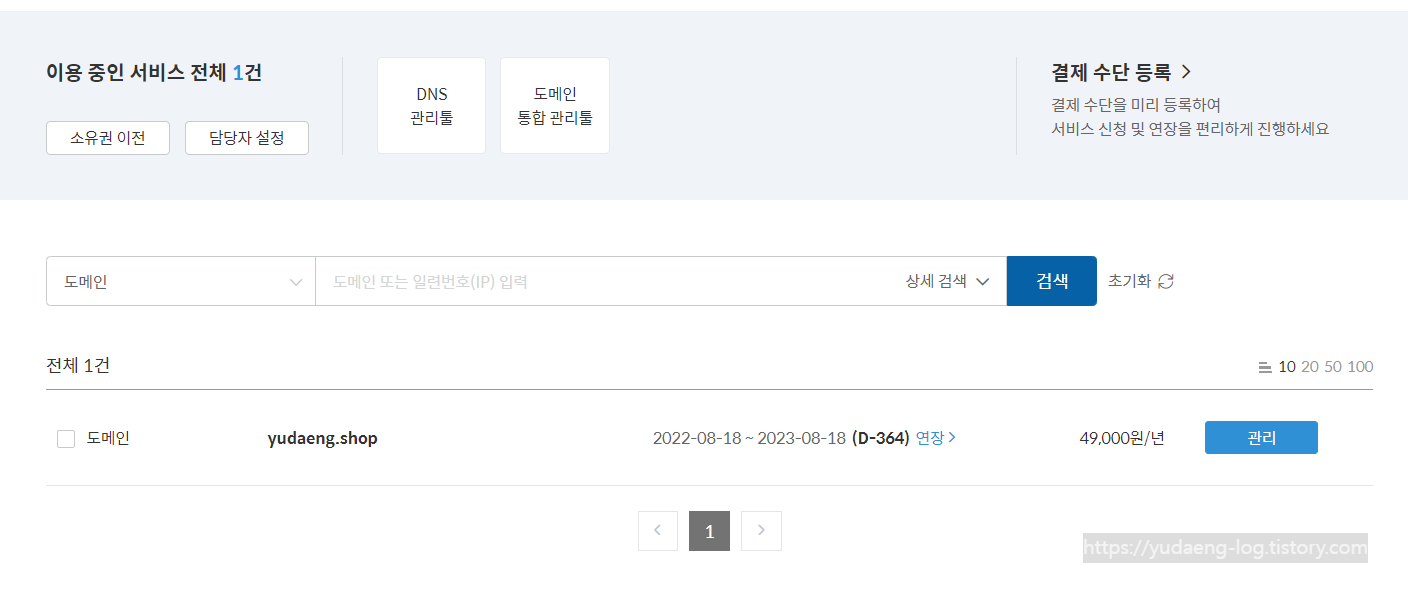
회원가입 한 후에 도메인 구매!
.shop 도메인이 500원/1년으로 할인 중이어서 500원에 도메인을 구매할 수 있었다.
아무거나 하면 된다길래 적당히 아무도 안 샀을 법한 이름으로 구매했다.
1. 버킷리스트
(1-1) 프로젝트 세팅 및 뼈대 준비
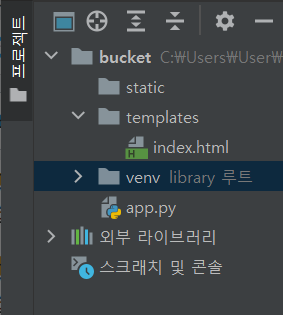
반복의 반복의 반복..!!
- bucket 폴더 안에 static, templates (스펠링 틀리면 안됨!!) 경로 추가하기
- app.py 이름으로 python 파일 만들기
- templates 안에 index.html 이름으로 html 파일 만들기
- 필요한 패키지들 설치 (Flask, dnspython, pymongo, certifi)
그리고 코드스니펫 복사해서 각 파일에 기본 뼈대 코드들을 잘 넣어준다.
app.py
from flask import Flask, render_template, request, jsonify
app = Flask(__name__)

from pymongo import MongoClient
import certifi   # 사용하고 있는 인터넷 환경에 따라 보안 관련 추가 설정이 필요한 경우가 있음

ca = certifi.where();

client = MongoClient('mongodb+srv://test:sparta@cluster0.oi21xcu.mongodb.net/?retryWrites=true&w=majority', tlsCAFile=ca)
db = client.dbsparta

@app.route('/')
def home():
   return render_template('index.html')

@app.route("/bucket", methods=["POST"])
def bucket_post():
    sample_receive = request.form['sample_give']
    print(sample_receive)
    return jsonify({'msg': 'POST(기록) 연결 완료!'})

@app.route("/bucket/done", methods=["POST"])
def bucket_done():
    sample_receive = request.form['sample_give']
    print(sample_receive)
    return jsonify({'msg': 'POST(완료) 연결 완료!'})

@app.route("/bucket", methods=["GET"])
def bucket_get():
    return jsonify({'msg': 'GET 연결 완료!'})

if __name__ == '__main__':
app.run('0.0.0.0', port=5000, debug=True)(** certifi는 기본 코드 스니펫에는 없는 부분인데 나는 저 부분이 없으면 에러가 나기 때문에 따로 추가해줬다.)
index.html
<!DOCTYPE html>
<html lang="en">
<head>
    <meta charset="UTF-8">
    <meta http-equiv="X-UA-Compatible" content="IE=edge">
    <meta name="viewport" content="width=device-width, initial-scale=1.0">

    <link href="https://cdn.jsdelivr.net/npm/bootstrap@5.0.2/dist/css/bootstrap.min.css" rel="stylesheet"
        integrity="sha384-EVSTQN3/azprG1Anm3QDgpJLIm9Nao0Yz1ztcQTwFspd3yD65VohhpuuCOmLASjC" crossorigin="anonymous">
    <script src="https://ajax.googleapis.com/ajax/libs/jquery/3.5.1/jquery.min.js"></script>
    <script src="https://cdn.jsdelivr.net/npm/bootstrap@5.0.2/dist/js/bootstrap.bundle.min.js"
        integrity="sha384-MrcW6ZMFYlzcLA8Nl+NtUVF0sA7MsXsP1UyJoMp4YLEuNSfAP+JcXn/tWtIaxVXM"
        crossorigin="anonymous"></script>

    <link href="https://fonts.googleapis.com/css2?family=Gowun+Dodum&display=swap" rel="stylesheet">

    <title>인생 버킷리스트</title>

    <style>
        * {
            font-family: 'Gowun Dodum', sans-serif;
        }
        .mypic {
            width: 100%;
            height: 200px;

            background-image: linear-gradient(0deg, rgba(0, 0, 0, 0.5), rgba(0, 0, 0, 0.5)), url('https://images.unsplash.com/photo-1601024445121-e5b82f020549?ixid=MnwxMjA3fDB8MHxwaG90by1wYWdlfHx8fGVufDB8fHx8&ixlib=rb-1.2.1&auto=format&fit=crop&w=1189&q=80');
            background-position: center;
            background-size: cover;

            color: white;

            display: flex;
            flex-direction: column;
            align-items: center;
            justify-content: center;
        }
        .mypic > h1 {
            font-size: 30px;
        }
        .mybox {
            width: 95%;
            max-width: 700px;
            padding: 20px;
            box-shadow: 0px 0px 10px 0px lightblue;
            margin: 20px auto;
        }
        .mybucket {
            display: flex;
            flex-direction: row;
            align-items: center;
            justify-content: space-between;
        }

        .mybucket > input {
            width: 70%;
        }
        .mybox > li {
            display: flex;
            flex-direction: row;
            align-items: center;
            justify-content: center;

            margin-bottom: 10px;
            min-height: 48px;
        }
        .mybox > li > h2 {
            max-width: 75%;
            font-size: 20px;
            font-weight: 500;
            margin-right: auto;
            margin-bottom: 0px;
        }
        .mybox > li > h2.done {
            text-decoration:line-through
        }
    </style>
    <script>
        $(document).ready(function () {
            show_bucket();
        });
        function show_bucket(){
            $.ajax({
                type: "GET",
                url: "/bucket",
                data: {},
                success: function (response) {
                    alert(response["msg"])
                }
            });
        }
        function save_bucket(){
            $.ajax({
                type: "POST",
                url: "/bucket",
                data: {sameple_give:'데이터전송'},
                success: function (response) {
                    alert(response["msg"])
                }
            });
        }
        function done_bucket(num){
            $.ajax({
                type: "POST",
                url: "/bucket/done",
                data: {sameple_give:'데이터전송'},
                success: function (response) {
                    alert(response["msg"])
                }
            });
        }
    </script>
</head>
<body>
    <div class="mypic">
        <h1>나의 버킷리스트</h1>
    </div>
    <div class="mybox">
        <div class="mybucket">
            <input id="bucket" class="form-control" type="text" placeholder="이루고 싶은 것을 입력하세요">
            <button onclick="save_bucket()" type="button" class="btn btn-outline-primary">기록하기</button>
        </div>
    </div>
    <div class="mybox" id="bucket-list">
        <li>
            <h2>✅ 호주에서 스카이다이빙 하기</h2>
            <button onclick="done_bucket(5)" type="button" class="btn btn-outline-primary">완료!</button>
        </li>
        <li>
            <h2 class="done">✅ 호주에서 스카이다이빙 하기</h2>
        </li>
        <li>
            <h2>✅ 호주에서 스카이다이빙 하기</h2>
            <button type="button" class="btn btn-outline-primary">완료!</button>
        </li>
    </div>
</body>
</html>
(1-2) POST 연습 (기록하기)
1. 요청 정보 : URL= /bucket, 요청 방식 = POST
2. 클라(ajax) → 서버(flask) : bucket
3. 서버(flask) → 클라(ajax) : 메시지를 보냄 (기록 완료!)
단! 서버에서 한 가지 일을 더 해야합니다.
→ 번호를 만들어 함께 넣어주는 것. 그래야 업데이트가 가능하겠죠!
4주차에서 했던 작업과 동일한데 한 가지가 추가된다.
버킷리스트를 입력하는 것까진 전에 했던 것처럼 DB에 데이터를 넣기만 하면 되지만,
완료 표시를 해 주려면 몇 번 항목에 대한 것인지를 알아야 하기 때문에 서버에서 번호를 함께 만들어서 넣어줘야 한다.
app.py 中
@app.route("/bucket", methods=["POST"])
def bucket_post():
    bucket_receive = request.form['bucket_give']

    bucket_list = list(db.bucket.find({}, {'_id': False}))
    count = len(bucket_list) + 1

    doc = {
        'num':count,     # 서버에서 번호 붙여주기
        'bucket':bucket_receive,
        'done':0
    }
    db.bucket.insert_one(doc)

return jsonify({'msg': '등록 완료!'})index.html 中
function save_bucket(){
    let bucket = $('#bucket').val()
    $.ajax({
        type: "POST",
        url: "/bucket",
        data: {bucket_give:bucket},
        success: function (response) {
            alert(response["msg"])
            window.location.reload()
        }
    });
}
서버와 클라이언트를 순서대로 만들어 준다.
'num'과 'done'만 잠깐 보자면,
'num'은 해당 항목에 번호를 부여하기 위해 필요한 변수이다.
현재까지 DB에 몇 개의 데이터가 있는지 bucket_list로 전부 받아와서 len()함수를 통해 알아낸다.
그리고 다음 번호로 넣어주는 것이다.
'done'은 완료 여부를 파악하기 위해 필요한 변수이다.
진행 중이면 0, 완료했으면 1을 넣어서 분류할 예정이다.
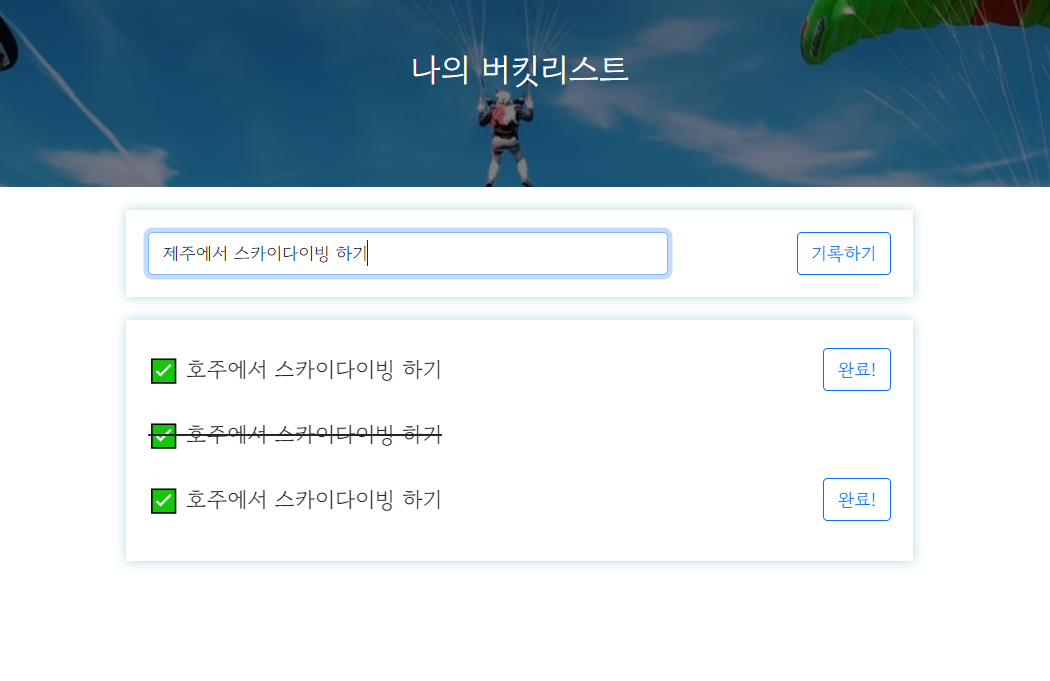

'제주에서 스카이다이빙 하기' 입력하면 bucket 컬렉션에 잘 저장되는 거 확인.
기록하기 API 완성!!
(1-3) GET 연습 (보여주기)
1. 요청 정보 : URL= /bucket, 요청 방식 = GET
2. 클라(ajax) → 서버(flask) : (없음)
3. 서버(flask) → 클라(ajax) : 전체 버킷리스트를 보여주기
app.py 中
@app.route("/bucket", methods=["GET"])
def bucket_get():
    bucket_list = list(db.bucket.find({}, {'_id': False}))

return jsonify({'buckets': bucket_list})index.html 中
function show_bucket(){
    $.ajax({
        type: "GET",
        url: "/bucket",
        data: {},
        success: function (response) {
            console.log(response['buckets'])
        }
    });
}
서버를 먼저 만들고 나서 DB에서 데이터를 잘 받아왔는지 콘솔창에 한번 찍어서 확인해 본다.
위에 보이는 것처럼 데이터를 잘 받아오고 있음을 확인할 수 있다.
이제 다음 단계로 가서 받아온 데이터들을 페이지에 나타내 보자.
index.html 中
function show_bucket(){
    $.ajax({
        type: "GET",
        url: "/bucket",
        data: {},
        success: function (response) {
            let rows = response['buckets']
            for (let i=0 ; i<rows.length ; i++){
                let bucket = rows[i]['bucket']
                let num = rows[i]['num']
                let done = rows[i]['done']

                let temp_html = ``
                if (done == 0){
                    temp_html = `<li>
                                    <h2>✅ ${bucket}</h2>
                                    <button onclick="done_bucket(${num})" type="button" class="btn btn-outline-primary">완료!</button>
                                </li>`
                } else{
                    temp_html = `<li>
                                    <h2 class="done">✅ ${bucket}</h2>
                                </li>`
                }
                $('#bucket-list').append(temp_html)
            }
        }
    });
}
항상 했던 것처럼 temp_html로 만들어서 붙여주면 되는데,
이번 프로젝트의 경우는 완료한 경우와 그렇지 않은 경우를 구분해 주어야 하기 때문에
done을 기준으로 경우를 2가지로 나누어서 서로 다른 형태의 temp_html을 만들어준다.
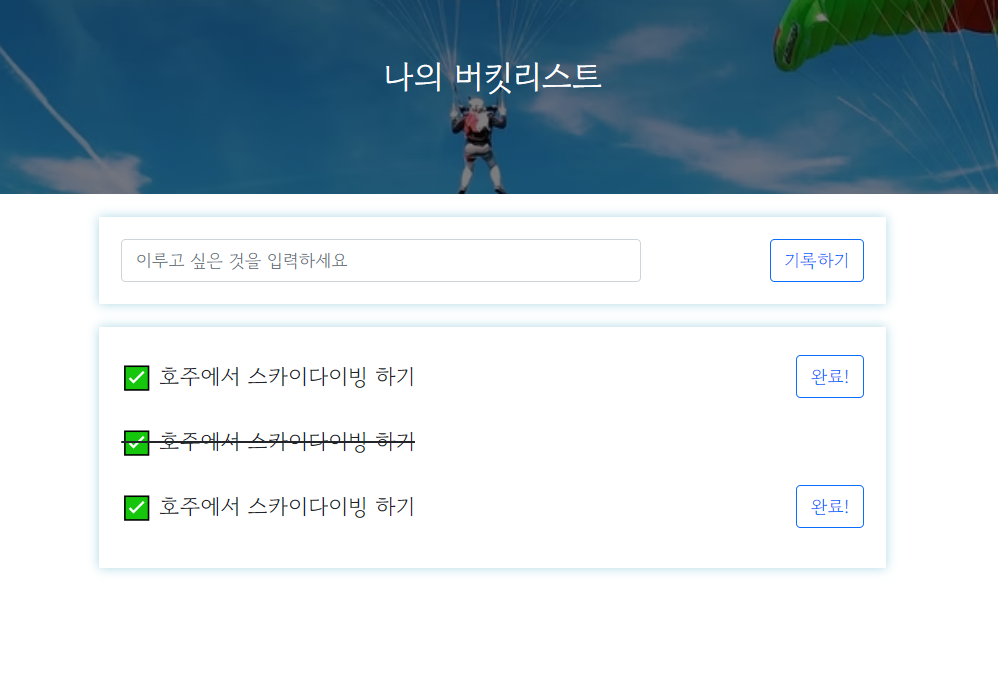
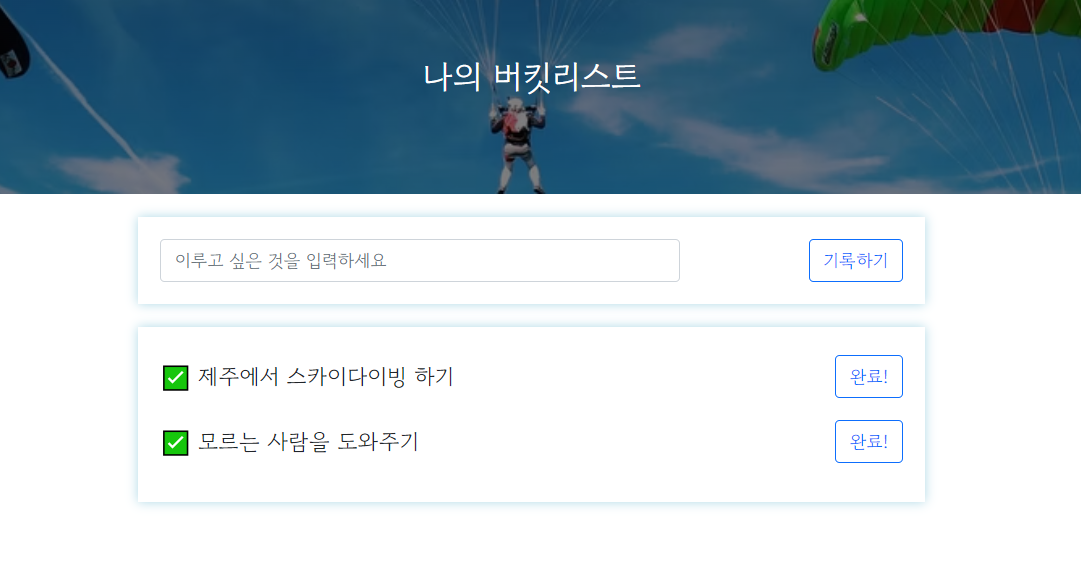
우선 여기까지 완료하면 아래와 같은 결과 페이지를 확인할 수 있다.
(1-4) POST 연습 (완료하기)
POST 요청을 한번 더 해야한다.
버킷리스트를 수행하고 나면 완료했다고 업데이트를 해야 하기 때문이다.
1. 요청 정보 : URL= /bucket/done, 요청 방식 = POST
2. 클라(ajax) → 서버(flask) : num(버킷 넘버)
3. 서버(flask) → 클라(ajax) : 메시지를 보냄 (버킷 완료!)
app.py 中
@app.route("/bucket/done", methods=["POST"])
def bucket_done():
    num_receive = request.form['num_give']
    db.bucket.update_one({'num': int(num_receive)}, {'$set': {'done': 1}})
return jsonify({'msg': '버킷 완료!'})완료하면 해당 버킷의 번호를 받아서 완료 상태로, 즉 done을 1로 업데이트 해준다.
여기서 한 가지, 주의사항!!
★ 클라이언트에서 숫자를 넘겨도 서버에서는 문자로 바꾼다.
그러나 DB에는 숫자로 저장해 주어야 한다.
따라서 클라이언트에서 서버로 숫자를 받아올 때는 int()를 사용해서 숫자로 바꿔줘야 함!!
index.html 中
function done_bucket(num){
    $.ajax({
        type: "POST",
        url: "/bucket/done",
        data: {num_give:num},
        success: function (response) {
            alert(response["msg"])
            window.location.reload()
        }
    });
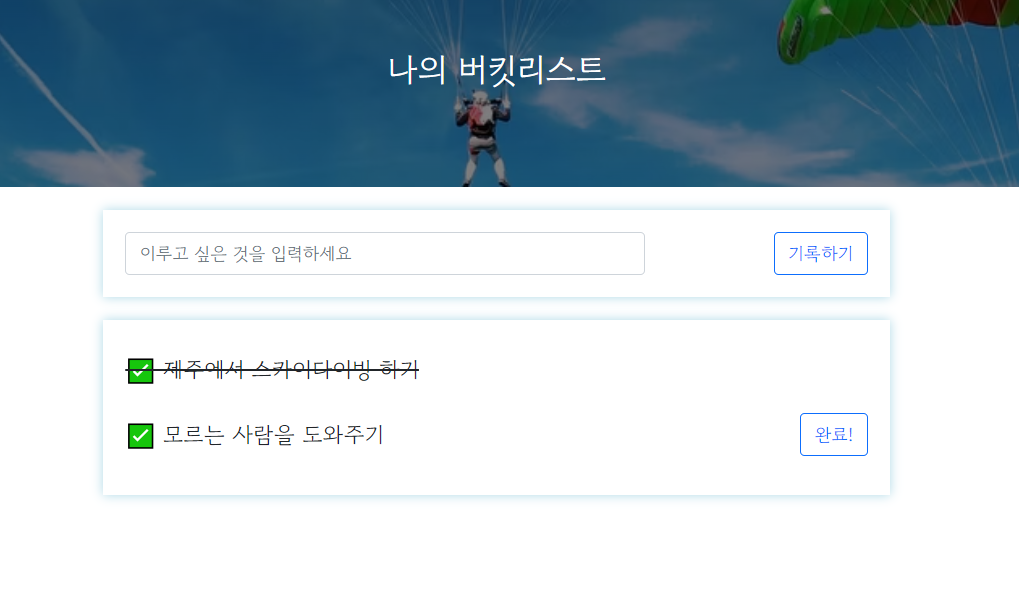
}업데이트를 어디에서 반영할 것인가 보면, 앞의 GET 부분의 html 파일에 보면 아래와 같은 코드가 있다.
done == 0, 즉 아직 완료되지 않은 경우의 temp_html에 들어 있는 코드이다.
<button onclick="done_bucket(${num})" type="button" class="btn btn-outline-primary">완료!</button>
완료 버튼을 누르면 done_bucket이라는 함수를 호출하면서 버킷리스트의 번호에 해당하는 변수인 num을 넘겨준다.
따라서 done_bucket 함수는 클라이언트에서 서버로 num에 해당하는 숫자만 잘 전달해 주면 된다.
그 후에는 위에서 만든 대로 서버에서 숫자를 받아서 done을 1로 업데이트 할 것이다.
+ 출석체크~~!!